
Mixed Sizes and Colors: Organise a DTF Shirt Order
Build a clear size-and-color allocation, match every garment to its artwork and prepare a mixed shirt order for an individual DTF quote in Thailand.
For an order with several shirt sizes or colors, make one allocation list that connects each garment to its exact artwork version. Then ask the printer to confirm the proposed garment models, stock and quotation. MIREN’s minimum is 15 pieces; the availability and terms of a particular mixed combination are confirmed for the actual order. A clear list makes that conversation much easier than a total followed by scattered chat messages.
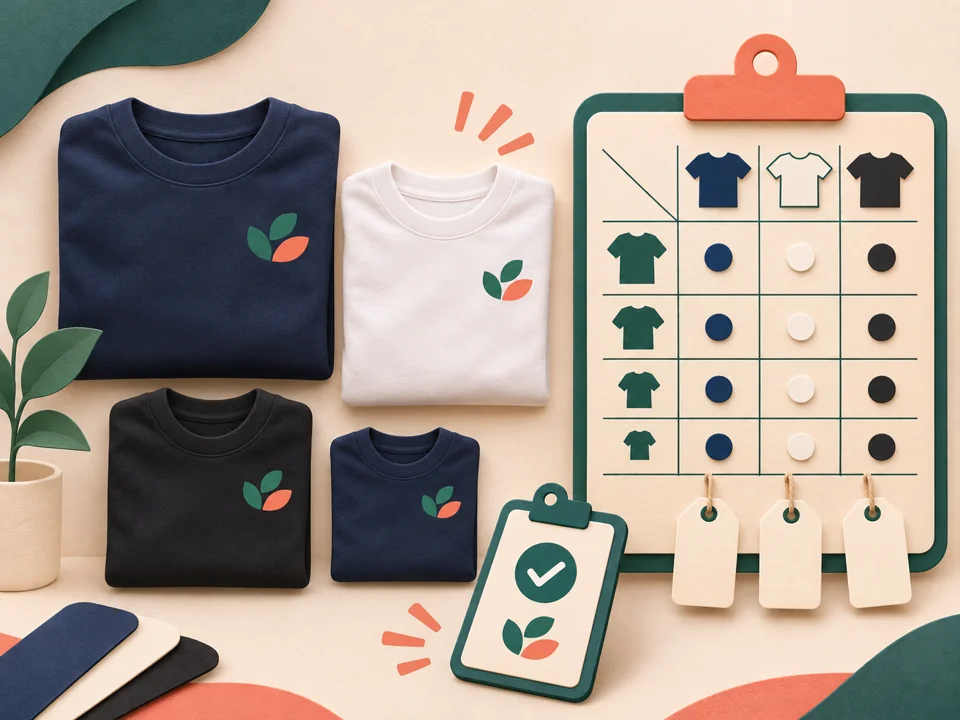
Separate four decisions before counting shirts
A mixed order contains several decisions that are easy to merge accidentally: garment model, garment color, size and artwork version. “Fifteen navy and white shirts with our logo” leaves important questions open. Does every shirt have the same front design? Is the white version of the logo reserved for navy garments? Does a Polo belong to the same group as a crew-neck T-shirt? Make those distinctions visible before collecting the final quantities.
Use a consistent label for each choice. Copy the garment model name from the proposed quotation rather than creating an informal nickname. Write the shirt color as a word, not only a colored cell, so the meaning survives a black-and-white printout. Keep size labels exactly as listed for that model. This is an allocation task, not a reason to assume that size M means the same measurements across different clothing ranges.
Give each unique combination its own row
Create one row for each combination of model, color, size and artwork version. Add a quantity column and, where useful, a department or distribution label. A row should let someone identify the right garment without reading a separate chat thread. If an item has a different back design or an individual name, give that variation its own clear identifier rather than burying it in a general note.
Keep the artwork key short and unambiguous. For example, “A-dark” can mean the dark logo file assigned to white shirts, while “A-light” is its approved counterpart for navy shirts. Include an artwork key that explains those labels. The printer should not have to guess whether “light” refers to the shirt, the print or the preview background. A plain spreadsheet is sufficient; tidy structure matters more than an elaborate layout.
Keep blank quantities out of the final summary. A blank cell can mean zero, a missing reply or an undecided choice, and those meanings lead to different actions. Resolve each incomplete row before calling the list final. If a colleague is still choosing a size, keep that entry in a pending working list instead of hiding it inside an approved total. This also makes it easier to explain which late change affects a garment count and which one only corrects a distribution label.
Check a small example in both directions
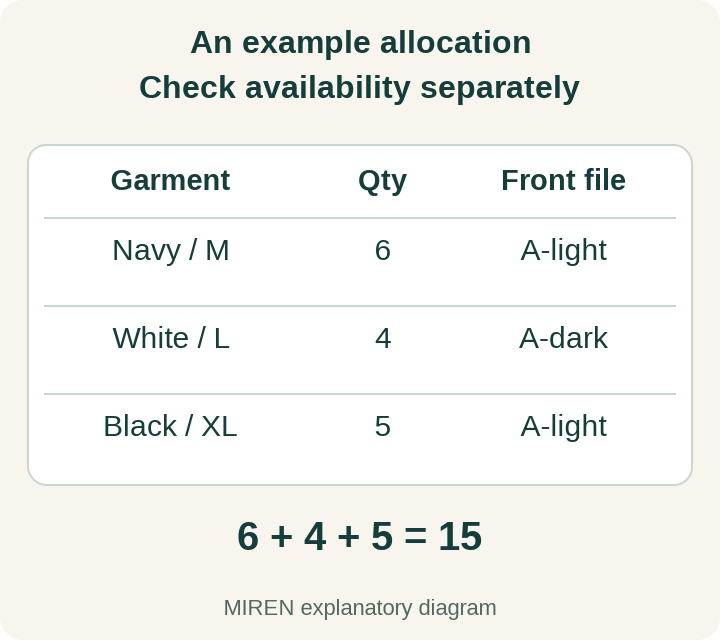
Consider a hypothetical planning list: six navy shirts in M, four white shirts in L and five black shirts in XL. The total is 6 + 4 + 5 = 15. Use this as a worksheet example, then have the actual split checked for stock and quotation terms. Add the intended artwork key to each row before sending the request, especially if light and dark garments need different logo versions.
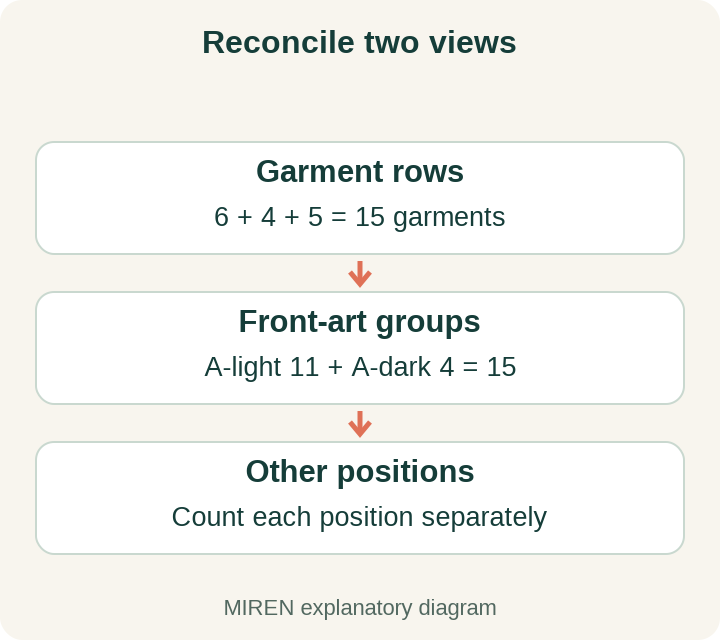
Now check the list in two directions. First, add the quantity rows to confirm the total number of garments. Second, group by artwork version to see how many prints of each version are needed. If every shirt has one front print, the total number of front prints should match the total garment quantity. A back print is a separate placement, so an order with front and back artwork must be checked placement by placement rather than counted as twice as many shirts.
| Garment group | Quantity | Front-art key |
|---|---|---|
| Navy / M | 6 | A-light |
| White / L | 4 | A-dark |
| Black / XL | 5 | A-light |
| Total garments | 15 | 15 front prints if one per shirt |
Reconcile size returns without moving the wrong data
When collecting sizes from several people, keep a working list and one approved production summary. The working list can contain names for distribution, but the summary should make model, color, size and quantity easy to check. Sort or filter complete rows together. Google Sheets’ sorting guidance describes selecting a range and identifying the header row; the important habit here is to keep each person’s choices attached to the same row.
After any sorting, compare a few entries with the original replies. A misplaced column can create a list that totals correctly but assigns the wrong color or size to people. Check late changes against both documents and give the updated summary a new version. If names are being printed, use the separate names-and-numbers roster process as well, because changing a size and changing the printed spelling are different approval decisions.
Google Sheets: sort a complete data range
Decide how the artwork should behave across sizes
Ask whether the proposed print dimensions stay the same across the size range or whether any size group needs separate artwork dimensions. The same logo can occupy a different proportion of a small and a large shirt. That does not automatically make the order wrong, but it should be an intentional design decision rather than a surprise discovered during distribution.
Start with the smallest and largest garment in the proposed range. Review the available print area, seams and any pocket or fastening. For Polo orders, MIREN assesses the actual model and print position. If a different print size is requested for one group, record that as another artwork or placement specification so it appears in the quote and approval. Do not edit a preview image alone and assume that it changes the production instruction for every row.
Agree on substitutes before the order is final
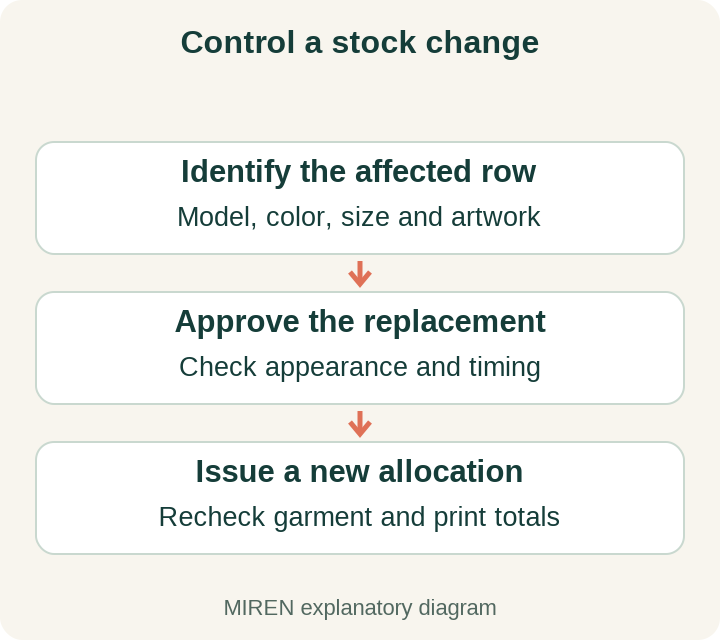
Stock is checked for the complete combination, not just the shirt color in isolation. A navy garment might be available in one size while another size needs an alternative. Ask the printer to identify the affected rows and the proposed replacement. Then decide whether consistency of model, color or timing is the priority for your team. A substitute should be approved explicitly, with the allocation list updated to match.
Avoid a general instruction such as “change anything that is missing.” It can leave a company team with unexpectedly different fits or logo backgrounds. A useful alternative note states what can change and who must confirm it. If the request includes a named wearer, check that the person’s distribution record is updated too. Keep the final stock and garment choices together with the approved artwork so a later reorder starts from a reliable record.
Make the quotation describe the real mixture
Send the allocation list with the original logo files, a front-and-back placement description and the required receipt date. Ask the quote to identify the actual garment choices, design versions and any separately charged personalization. MIREN quotes each order individually; a total of 15 pieces is not a published price or a blanket promise that every combination has the same terms.
If one row changes, ask which parts of the quote or schedule need updating before approval. A switch from a T-shirt to a Polo is more than a color change, and adding individual names creates another production detail. Where a Thai tax invoice is needed, provide the billing information through the normal contact channel; MIREN is VAT registered and VAT is added. Keep private wearer details out of public artwork previews and share only the data needed to complete the order.
Finish with a version everyone can use
Before confirming, compare the final allocation with the approved visual brief and your internal distribution list. Check that the total, each garment group and each artwork group reconcile. Have one contact send a clear final version, then keep it unchanged as the order record. Later revisions should be called out directly rather than silently replacing an attachment that the printer may already have reviewed.
This guide is about organising a mixed order, while the team-size guide explains how to collect measurements and the general order checklist covers the complete buying process. Use them together instead of trying to fit every decision into a single color-and-size table. Send your prepared allocation to MIREN PRINT for assessment of the actual garments, available stock and DTF print positions. Clear records make the approval and eventual distribution easier to manage.
Before you contact a printer
- One row per model, color, size and artwork combination
- Garment total and per-placement print totals reconciled
- Artwork key with light/dark versions clearly assigned
- Smallest and largest sizes checked for print placement
- Final stock choices, contact and version identifier
Frequently asked questions
Can all combinations simply be added together to meet 15 pieces?
MIREN’s order minimum is 15 pieces. Send the proposed mix for confirmation of garment availability, design grouping and quotation terms rather than assuming every split is treated identically.
Will one print size look identical on every shirt size?
The physical print dimensions can be the same while their proportion to the shirt changes. Review the proposed smallest and largest garments and confirm whether any group needs a separately specified print size.
What if only one size is out of stock?
Ask for the specific affected row and replacement option. Update the approved allocation and confirm any change to model, color, artwork or timing before proceeding.