
Shirt Artwork Approval: What to Check Before DTF Printing
Check spelling, garment choice, print dimensions, artwork versions and open decisions before approving a DTF team-shirt design for production.
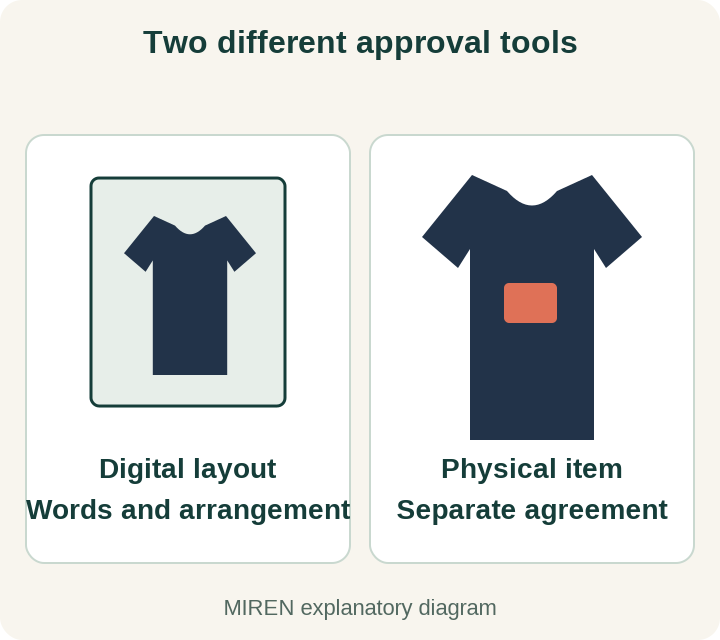
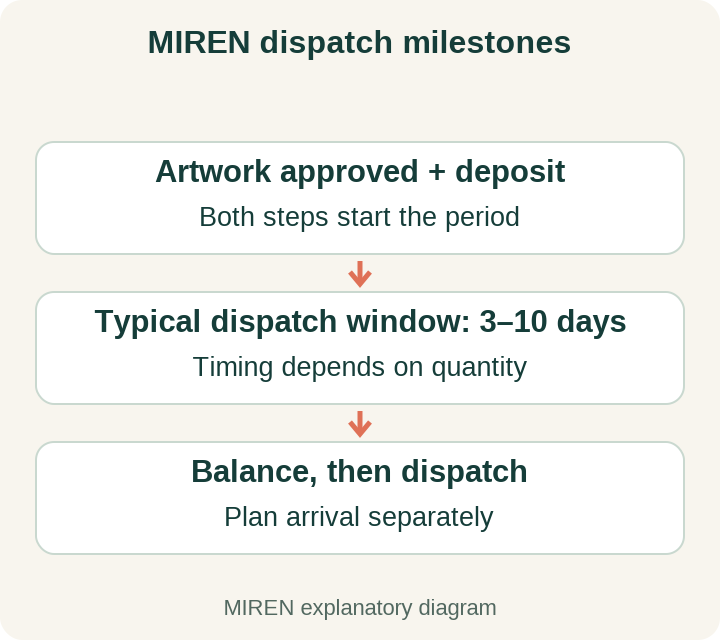
Before approving a DTF shirt design, check the exact artwork version against the garment, print dimensions, placement and order list. State what your approval covers and keep one final record. A digital mockup is a useful layout reference, while any physical sample or color comparison needs its own agreement. Orders are typically dispatched 3–10 days after artwork approval and deposit payment, depending on quantity.
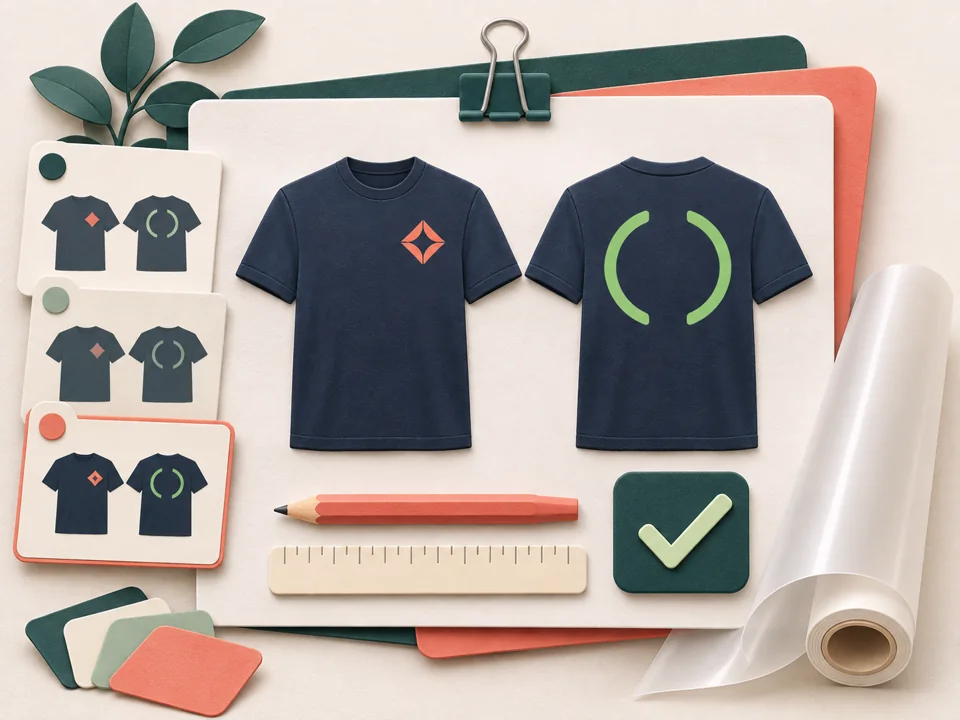
Use the proof to make specific decisions
A proof should help the buyer and printer identify the same planned result. It is most useful when everyone knows which decisions it supports. Transfer Express’s published proof guidance lists artwork details such as size, color placement and spelling. Use those categories to review your MIREN brief, and confirm which decisions the proposed preview covers. Keep the actual order’s proof arrangement and schedule clearly recorded.
Separate the artwork decision from the purchasing decision. A manager may approve the logo while the purchasing team is still confirming stock or quantities. Mark those items separately so “logo approved” cannot be interpreted as approval of a different garment, an unfinished roster or an unconfirmed delivery plan. One clear decision record is easier to use than a collection of enthusiastic reactions attached to different images in a messaging group.
Transfer Express: checking artwork details in a proof
Check words and identities before judging the layout
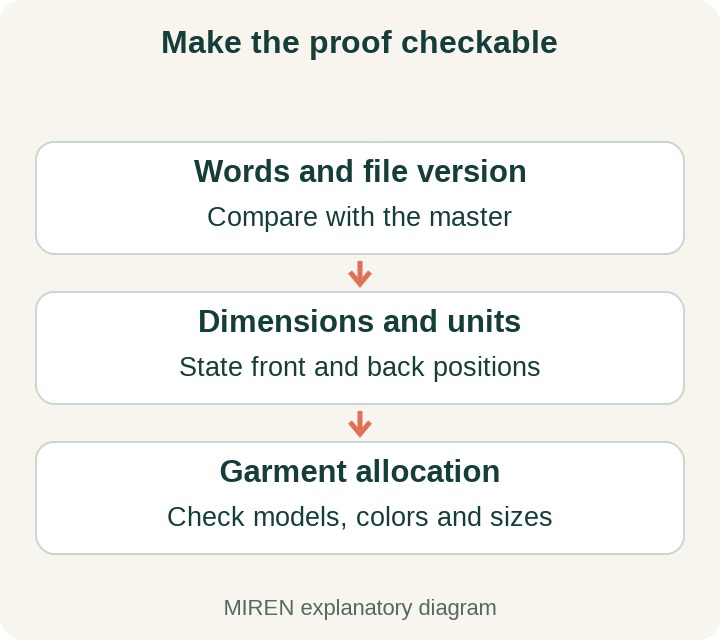
Read the business name, department, event wording and any date as actual text, not as a familiar shape. Ask the person responsible for Thai or English spelling to review that language. A logo can look balanced while still containing an old company name or a missing character. Compare the proof with the supplied master rather than relying on memory, especially when the file was recreated from an older picture.
For individual names and numbers, verify the approved roster separately and connect each entry to the correct garment allocation. In Thai names, inspect the complete word rather than checking only the main consonants. Do not assume a font substitution preserves all marks and spacing. Confirm the final artwork with the printer if the display looks different. Individual names and numbers are available at MIREN for an additional charge, so include them before the quotation and artwork are final.
When Thai lettering is a prominent part of the artwork, test readability separately from the final sign-off.
Verify the shirt beneath the design
Record the proposed garment model, color and relevant fabric information. A mockup of a plain T-shirt is not a complete approval for a Polo with a pocket, buttons or a different panel shape. MIREN accepts Polo DTF work subject to the actual model and print position. Check the garment information attached to the proof instead of judging only the illustrated shirt silhouette.
If the order includes several models or colors, use a labelled preview or allocation key for each combination. Make sure the light logo version is assigned to the intended dark garment and the dark logo version to the intended light garment. Where a garment substitute is proposed, review the affected placement again. The aim is a practical match between the approved design and the clothing that will actually be ordered, not simply a pleasing picture on a screen.
A sleeve proof should identify the side from the wearer's view and show which direction points to the shoulder.
Confirm dimensions and a clear placement reference
Ask for the intended print dimensions in stated units and a placement reference that the printer can interpret. A large-looking logo in a small preview has no reliable physical scale. Identify the front or back, left or right as worn, and the reference used to describe the position. Refer to the existing placement guide for the broader design discussion; do not invent a universal chest-logo size that applies to every garment.
Check the smallest and largest shirt sizes in the proposed order. Decide whether one physical print size is intended throughout or whether groups need different specifications. Review pockets, seams and fastenings as real constraints. If someone requests “slightly higher” or “a little smaller,” turn that comment into an updated, identifiable proof rather than leaving two interpretations in the record. The final instruction should describe a decision someone can check again later.
For a photo, record the agreed crop alongside the approved physical dimensions.
If the same mark will appear at very different sizes, record whether the designer approved a separate small version.
Review logo dimensions and placement
Identify which color decision is being approved
Name the original artwork and the reference used for any important brand color. A digital preview can communicate the intended artwork version, but the display is not the finished fabric. If a color-critical physical comparison is needed, ask about the available arrangement before treating it as part of the order. Do not assume that a screenshot, paper print or product photo is automatically an approved garment sample.
Keep the discussion precise. “Use the dark-blue logo in file B on the white shirt” is clearer than “make it like the image above.” If the client is approving layout while a color question remains open, write that distinction down. The separate DTF color-matching guide explains how to choose and identify a useful reference. This avoids turning a short approval message into a promise that nobody actually discussed.
Mark deliberate white and open spaces on references that use a transparent file.
If two uniform models are being ordered, keep the decision about the fabric colours separate from approval of the print colours.
Choose a clear color reference
Give the final artwork a stable version
Use an understandable filename or revision code, and keep a small change log when artwork is revised. Record what changed, who requested it and which version replaced the previous one. Ask the approving contact to refer to that identifier in the confirmation message. A simple version such as “logo-front-v3” is more useful than several attachments called “final,” “final-new” and “really-final.”
After a change, review the affected details again. Moving the back artwork may alter its relationship to a large number; changing a garment color may require a different logo version. Do not approve only the comment and forget the new image. Keep the actual approved file with the order record, then mark older versions as superseded so they cannot be mistaken for a second active instruction during production or a later reorder.
When the new proof replaces an old company logo, record the date the new version applies from.
Bring design approval and order readiness together
Use a final check that covers artwork, garments, quantities and remaining decisions. The artwork approver should confirm spelling, dimensions, placement and the agreed reference. The order contact should confirm the garment allocation, any personalization and the intended delivery destination. If an item is still open, state it directly rather than using an unconditional “all approved” message that contradicts the attached notes.
Orders are typically dispatched 3–10 days after artwork approval and deposit payment, depending on quantity. Pay a deposit first, then pay the balance before dispatch. Dispatch and receipt are different milestones, so include your required receipt date too. A changed artwork version after approval needs a fresh discussion of the affected work and schedule. This is a planning step, not a promise that late changes can fit the original timing without review.
If the normal approver will be unavailable, name the substitute before the decision is needed. Give that person the current proof and the specific decisions they may make. A delegated contact should not have to reconstruct the order from forwarded screenshots. Where approval authority is split, collect the brand decision and the purchasing decision into one clear handover. This is especially useful for an event team whose designer, buyer and person receiving the shirts are three different people.
| Decision | Check | Identify |
|---|---|---|
| Artwork | Words, version and positions | Approving contact |
| Garments | Model, colors and quantities | Final allocation |
| Color reference | Scope of comparison | Agreed reference |
| Order readiness | Open items and deposit | Confirmed schedule |
Keep a handover that supports checking and reorders
Save one compact handover containing the approved artwork identifier, garment list, print positions, dimensions, reference notes and named contact. Add a dated confirmation and any decisions that were explicitly excluded from approval. For a team, store it somewhere the person receiving the shirts can access, so inspection at delivery is based on the actual agreed order rather than an early concept image.
If a later concern arises, compare it with that record and describe the specific difference. If a reorder is needed, share the old record as a starting point and ask MIREN to recheck current stock and requirements. The minimum remains 15 pieces. To prepare a new DTF order, send your logo, garment preferences, size quantities and intended use through the contact page. Clear approval helps both sides move forward with fewer unresolved assumptions.
Give the receiving person the same proof so they can compare the delivered garments and report any difference.
Before you contact a printer
- Production artwork filename and revision
- Checked Thai/English wording and any roster
- Confirmed garment model, colors and size list
- Print dimensions, units and front/back positions
- Color reference, open items and named approver
Frequently asked questions
Is a digital mockup the same as a physical sample?
They serve different checks. A mockup helps review artwork and layout; any physical sample or color comparison must be agreed separately, including its scope, timing and any cost.
When does MIREN’s dispatch period begin?
Orders are typically dispatched 3–10 days after artwork approval and deposit payment, depending on quantity. Pay a deposit first, then pay the balance before dispatch. Provide the required receipt date and destination for planning.
What should I do if the artwork changes after approval?
Identify the replaced version and the exact change, then confirm the updated artwork and any effect on the order or schedule. Keep one active final version instead of relying on an old approval message.